


Have you ever searched for a nearby café, salon, or repair service and noticed how some businesses appear right at the top of Google with star ratings, photos, directions, and glowing reviews?
That’s the real magic of Google Business Profile optimization. This free tool from Google puts your business on the map—both digitally and literally—helping you stand out in local search results and on Google Maps.
But here’s the catch: just setting up a profile isn’t enough. If your profile isn’t optimized, updated regularly, and filled with the right information, it might never show up where customers are looking. That means missed opportunities and lost revenue.
In today’s fast-paced world, people rely on quick online searches to decide where to eat, shop, or find trusted services nearby. That’s why boosting your local SEO visibility with an optimized Google Business Profile is essential. When done right, it improves your Google Maps ranking, increases customer engagement through Google Business, and drives more foot traffic and online connections.
In this easy-to-follow guide, based on real experience helping businesses improve their local presence, you will learn practical steps to optimize your profile for maximum visibility. No tech jargon or complicated hacks—just clear actions you can take today to boost your profile’s performance and attract more customers in your local area.
Stick around till the end—you’ll see how small changes can lead to big results and help your business rise in Google Maps rankings where it matters most.
Let’s get started.
What is Google’s business profile?
Google Business Profile is a free and powerful online tool from Google that helps businesses of all sizes be easily found by people searching for local services or products.
It acts like your business’s digital storefront on Google Search and Google Maps, showing key information such as your business name, location, hours, phone number, photos, reviews, and more. This visibility makes it easier for potential customers nearby to find, learn about, and connect with your business quickly.
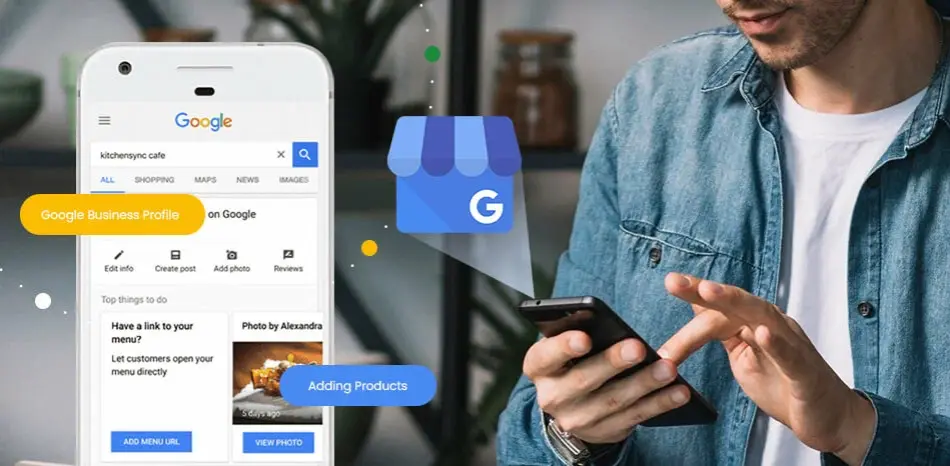
What is meant by Google Business Profile Optimization?
Optimizing your Google Business Profile means keeping all the information accurate, complete, and engaging so your business ranks higher in local search results and Google Maps.
This involves regularly updating your profile with fresh photos, relevant business descriptions, correct contact details, and leveraging Google’s latest features like posts, reviews, Q&A, and messaging to increase customer engagement.
Proper optimization boosts your Google Maps ranking, enhances your Local SEO visibility, and builds trust with customers by showing that your business is active and reliable.
A well-optimized profile also helps Google’s AI better understand your business, which can improve your chances of appearing in Google’s AI Overview and featured snippets.
According to BrightLocal, 64% of consumers use local business page on google to find local contact details.
It means providing authentic, detailed, and user-focused content on your profile to establish credibility and meet searchers’ needs effectively.
Businesses with complete profiles are 70% more likely to attract location visits.
In summary, a Google Company Profile is your business’s online identity on Google, and optimizing it is essential for standing out locally, attracting more customers, and growing your business in today’s digital-first world.
What’s the difference between Google Business Profile and Google Maps listing?
The difference between Google Business Profile (GBP) and Google Maps listing lies mainly in control and functionality:
- A Google Business Profile is the complete business listing you claim and manage on Google. It allows you to control your business information—such as name, address, phone number, hours, photos, reviews, posts, and more—to attract, engage, and inform customers on Google Search and Google Maps.
- A Google Maps listing is how your business appears visually and interactively on the Google Maps platform. It shows your location, directions, contact info, and basic details. The Maps listing is powered by the information from your Google map business pages but is the public-facing display on maps.
In short, Google Business Profile is the backend tool you optimize and maintain, while Google Maps listing is the visible result customers see when searching for businesses locally. Managing your GBP actively ensures your Maps listing is accurate, engaging, and ranks well in local search.
This distinction matters because optimizing your GBP directly affects your visibility and prominence in Google Maps and local search results.
Why Google My Business Is Essential for Local Businesses
Google My Business (now Google Business Profile) is essential for local businesses because it helps them appear in Google Search and Maps results, improves local visibility, builds customer trust through reviews and verified information, and drives direct conversions such as calls, visits, and website clicks—all without paid advertising.
1. Enhances Local Search Visibility
According to Google, over 46% of all searches have local intent, and a fully optimized Business Profile is more than twice as likely to be considered reputable by customers. When users search phrases like “restaurant near me” or “plumber in [city name],” Google primarily displays verified business listings. Without a Google Business Profile, local companies risk not showing up where potential customers are actively searching.
2. Boosts Visibility in Google Maps and Local Pack
The Google Local Pack—the top three listings that appear above organic results—is heavily influenced by Business Profile optimization. BrightLocal’s 2024 study found that 84% of consumers use Google to discover local businesses, and 64% check Business Profiles before visiting or contacting a company. Appearing in the Local Pack increases brand exposure and drives high-intent leads.
3. Builds Trust and Credibility
A verified and regularly updated profile signals authenticity. Google’s consumer behavior data shows that customers are 70% more likely to visit and 50% more likely to purchase from businesses with complete Business Profiles. Displaying accurate information, quality photos, and genuine reviews directly improves customer confidence.
4. Generates Direct Conversions
Users can call, get directions, or message your business directly from the listing—making it a powerful conversion tool. Google reports that businesses with updated profiles receive up to five times more calls and nearly three times more direction requests than those without complete information.
5. Strengthens Local SEO
Consistent updates—like adding new photos, responding to reviews, and posting offers—enhance engagement signals. Moz’s Local Search Ranking Factors study confirms that Google Business Profile signals contribute up to 36% of local pack ranking factors, making it a critical part of local SEO strategy.
6. Provides Actionable Insights
Google Business Profile offers free analytics that show how customers find and interact with your listing. Business owners can track searches, calls, direction requests, and photo views, allowing data-driven decisions for future marketing and optimization efforts.
7. Supports Reputation Management
Responding to reviews on your Business Profile directly affects public perception and Google’s trust evaluation. BrightLocal’s 2024 Review Survey found that 88% of customers trust online reviews as much as personal recommendations, and businesses that reply to reviews convert 35% more users than those that do not.
8. Offers a Free, High-Impact Marketing Tool
Unlike paid ads, Google My Business is completely free. It allows local businesses to compete effectively with larger brands, reach their local audience, and build long-term visibility and credibility without additional cost.
Summary: Key Benefits of Google My Business
| Benefit | Verified Data Source | Advantage |
| Local Search Visibility | Google, 2024 | Increases discovery in Search and Maps |
| Trust & Credibility | Google, BrightLocal 2024 | Verified info and reviews increase customer trust |
| Customer Engagement | Google Data, 2024 | Drives calls, visits, and direction requests |
| Local SEO Ranking | Moz Local Ranking Factors 2023 | Major influence on local pack ranking |
| Data Insights | Google Business Dashboard | Provides measurable user behavior data |
| Cost Efficiency | Google Business Profile | Completely free marketing channel |
What are the essential GBP features
Google Business Profile (GBP) features are the tools and options that allow businesses to control how they appear on Google Search and Maps, helping them attract local customers and improve their online presence.
Key features include managing business information like address, phone number, and hours; adding photos and videos; posting updates and offers; responding to customer reviews and questions; and enabling direct actions like bookings and messaging. GBP also provides valuable insights showing how customers find and interact with your profile.
Hidden yet powerful features to watch include business descriptions crafted for clarity and keywords, detailed service and product listings, attributes that highlight special qualities (like wheelchair accessibility or sustainability badges), virtual tours, and AI-driven overview enhancements that improve your profile’s relevance in Google’s Search Generative Experience.
Regular updates and accurate information keep your profile trustworthy, improve Google Maps ranking, boost local SEO visibility, and increase customer engagement.
Mastering these features helps your business stand out in local search results and builds trust with potential customers, making GBP an essential tool for local marketing success in 2025.
What are the Google Business Profile ranking factors
Google Business Profile ranking factors are the key elements Google uses to decide how prominently your business appears in local search results and on Google Maps.
The main factors include:
- Relevance: How well your profile matches the searcher’s intent through categories, keywords in your business description, products, and services.
- Distance: The proximity of your business to the location of the searcher.
- Prominence: How well-known or reputable your business is, based on factors like the number and quality of reviews, star ratings, local citations, backlinks, and overall online presence.
- Complete and Accurate Business Information: Up-to-date name, address, phone number, website, business hours, and service areas help Google understand and trust your listing.
- Primary and Secondary Categories: Choosing the most accurate categories that describe your business improves search matching.
- Customer Reviews and Responses: Quantity, quality, and recent reviews, plus active engagement by responding to reviews, signal trust and popularity.
- Photos and Videos: Regularly added high-quality media enhance engagement and increase visibility in local search.
- Attributes and Special Features: Relevant business attributes (e.g., wheelchair accessible, women-led) help qualify for specific search filters.
- Posts and Updates: Posting news, events, and offers keeps your profile fresh and signals activity.
- Products, Services, and Menus: Listing detailed offerings helps rank in item- or service-specific searches.
- User Engagement: Messaging, Q&A responses, and bookings show interaction and customer service quality.
- Consistency Across the Web: NAP (Name, Address, Phone) consistency across directories and citations supports your profile’s authority.
Optimizing these factors according to Google’s guidelines and regularly updating your profile can significantly enhance your Google Company Profile ranking, local SEO visibility, and customer engagement.
Google Business Profile Basics: What You Need to Know
Google My Business (GMB) was updated and renamed Google Business Profile (GBP) in 2021. Although the name changed, its main purpose stayed the same: helping businesses manage their presence on Google Search and Maps. With GBP, businesses can easily update important details, connect with customers, and boost their visibility in local search results.
Why Google company Profile Matters for Local Businesses
If you run a local business, having a fully optimized Google company Profile isn’t just useful—it’s essential. It’s what makes your business show up when someone nearby searches for services or products you offer. Think of it as your digital storefront on Google, where people can quickly see your business name, location, phone number, website, hours, photos, and customer reviews without even clicking through. This builds trust and helps customers choose you over competitors.
How Google Local Listing Affects Your Local Search and Maps Rankings
Your Google Local Listing has a big impact on where you appear in Google Maps and the local search pack—the three local businesses shown at the top of search results. Google decides which businesses to show based on three main factors:
- Relevance: How well your business matches what the searcher is looking for.
- Distance: How close your business is to the person searching.
- Prominence: How popular or well-known your business is, often measured by reviews, ratings, and mentions.
Keeping your profile complete, accurate, and regularly updated improves your local SEO efforts and increases your chances of ranking higher. This means more people nearby will find and engage with your business.
How to Set Up Your Google Business Profile: A Step-by-Step Guide for Local Businesses
If you run a local business, setting up and optimizing your Google Business Profile (GBP) or company profile is one of the most powerful ways to improve your online visibility.
A well-maintained GBP makes it easier for potential customers to find you when they search for your products or services. Whether you’re starting fresh or just need to fine-tune your profile, this step-by-step guide will help you get your Google Business Profile set up correctly.
1. Sign In to Your Google Account
Before you can create or manage your Google Business Profile, sign in to your Google account.
If you don’t have one yet, don’t worry it’s super easy to create a Google account in just a few minutes. You’ll need it to access all Google services, including managing your business listing.
2. Go to Google Business Profile and Claim Your Listing
Once you’re signed in, visit the Google Business Profile page. You can either claim your existing business listing or set up a new one.
If your business is already listed, claim it so you can update and manage the information.
3. Add Your Business Name Exactly as It Appears Online
Enter your business name exactly how it appears on your storefront, website, and social media.
Consistency is key to building trust and ensuring your business is easily found across different platforms. Google uses this name to match your business to relevant searches, so make sure it’s accurate and consistent.
4. Choose the Right Business Category
Selecting the correct business category is crucial for local SEO. The category you choose helps Google determine when to show your business to relevant customers.
For example, if you run a café, select “Coffee Shop” or “Café” instead of a broader category like “Restaurant.” A specific category increases your chances of showing up for searches related to your services.
Think about the terms potential customers are likely to use when searching for businesses like yours. Incorporate those keywords into your business category and description to make it easier for customers to find you.
5. Add Your Business Address and Contact Information
If you have a physical store or office, simply add your business address so customers can find you.
For businesses that serve customers at their locations or work from home, you can hide your address and list your service areas instead. Make sure your phone number, email address, and website URL are accurate and up-to-date
6. Set Your Business Hours for Easy Access
Adding your business hours helps ensure that customers know when they can visit or contact you.
This is essential for local SEO, as it boosts the likelihood of showing up for searches like “businesses open near me” or “open now.” Be sure to update your hours during holidays or special events.
7. Verify Your Business
Google needs to verify your business to make sure it’s real and trustworthy. Usually, they’ll send a postcard with a verification code to your business address.
Once you receive the postcard, enter the code into your profile to confirm your business.
How to get GBP on Top
Mastering local SEO for Google Business and knowing how to optimize a local business on Google Maps are key to making sure your profile shows up when nearby customers search for what you offer.
To get your Google Business Profile (GBP) on top:
- Claim and verify your profile for full control.
- Complete all business information accurately, including name, address, phone, website, and hours.
- Choose precise, relevant primary and secondary categories.
- Write a clear, keyword-rich business description.
- Add high-quality photos and videos regularly.
- List detailed products and services.
- Use relevant attributes to highlight special features.
- Encourage genuine 5-star reviews and respond promptly to all reviews.
- Post regular updates and special offers using Google Posts.
- Enable messaging and actively manage Q&A.
- Monitor performance insights and optimize based on data.
- Maintain consistent NAP across online platforms and build quality local citations and backlinks.
Following these steps improves your local SEO ranking, Google Maps visibility, and customer engagement, helping your business appear in top search results.
Mastering local SEO for Google Business is key to making sure your profile shows up when nearby customers search for what you offer.

Why Choosing the Right Category Boosts Your Local SEO
Selecting the most relevant category for your business is not just a formality, it’s one of the key elements of local SEO optimization.
Google uses your business category to match your business to search queries from users nearby. By being specific, you improve your chances of appearing in more relevant local searches.
For example, if you run a plumbing service, choose “Plumber” instead of a more general category like “Home Services.” The more accurately you categorize your business, the higher the chances of being shown to customers actively searching for your services.
You can also add a secondary category to further refine how Google categorizes your business.
Here’s how to choose the best category accurately:
- Be Specific: Pick the category that most closely matches your main business activity. For example, instead of just “Restaurant,” select “Italian Restaurant” if that fits better.
- Use Primary and Secondary Categories: Your primary category should describe your core business. You can add secondary categories to cover other services or products you offer.
- Follow Google’s List: Use the official category list provided by Google Business Profile to ensure your chosen categories are recognized.
- Think Like a Customer: Consider what your potential customers would search for when looking for your business and choose categories that match those terms.
- Avoid Overstuffing: Don’t add too many categories or unrelated ones. Focus on the most relevant options to maintain clarity and trustworthiness.
- Update as Needed: If your business changes or offers new services, update your categories regularly to stay accurate and relevant.
Choosing the right categories helps improve your Google Maps ranking, local SEO visibility, and connects you better with customers searching for your services.
How to Manage Multiple Locations for Your Business
If your business operates in multiple locations, Google allows you to manage them all in one place.
Adding extra locations ensures that customers can find the nearest store to them, and it increases the chances of your business appearing in local search results for different areas.
To add more locations:
- Log in to your Google Business dashboard.
- Click on “Manage Locations”.
- Add each location’s address, then follow the verification steps for each.
- Ensure that all information (address, phone number, website, hours) is accurate and consistent across locations.
Keep each location’s details updated to maximize your visibility. Customers will appreciate seeing accurate information for every branch, and Google will reward you with better search rankings.
Optimize Every Element of Your Google Business Account
A well-optimized Google Business Account can make a big difference in how easily people find and trust your business. Let’s go through the key parts you should focus on:
1. Use Your Real Business Name (No Extra Keywords)
Your business name should be exactly what it is in real life nothing more, nothing less. Avoid adding extra keywords like city names or services just to try to rank better.
Google can see through this, and it might actually hurt your chances of appearing in search results. Keep it clean, clear, and consistent across the internet.
2. Add the Right Address and Double-Check the Map Pin
If you run a shop, office, or service that people visit, your address needs to be accurate. Make sure your pin on the map shows the exact location.
A wrong address or misplaced pin can confuse customers and lower your visibility on Google Maps. Take a moment to check it carefully.
3. Keep Your Phone Number and Website Link Consistent (NAP)
NAP stands for Name, Address, and Phone number.
These three details should match everywhere your business is listed — on your website, directories, and Google profile. A consistent NAP builds trust and helps search engines connect your details across the web.
4. Write a Clear, Natural Business Description
Your business description is where you tell people what you do and what makes you different. Write in a friendly tone and include a few important phrases with your main keyword that people might search for but don’t overdo it.
Think about how you’d explain your business to a new customer in person. That’s the tone to aim for. Use or meet a complete description character limit of 750 characters.
5. Add Relevant Services and Products (with Keywords)
Google lets you list your services and products — use this space wisely. Add the items you offer and include simple keywords your customers might type when searching.
For example, if you’re a bakery, list “custom birthday cakes” instead of just “cakes.” The more specific and helpful your listings are, the better.
6. Set Your Business Hours and Special Holiday Times
Make sure your opening hours are correct. This helps customers feel confident in choosing your business and also builds trust with Google.
If you’re open on holidays or have different hours during certain seasons, update those too. Many people check hours before visiting — accurate info shows you’re active and reliable.
Use Photos and Videos to Boost Engagement
Adding real photos and videos to your Google Business Profile increases your chances of appearing in local search results and the Google Maps local pack. It also helps customers trust your business before they visit or contact you.
Why Photos Are Important for Local SEO
Photos improve your local SEO ranking by keeping your profile active and relevant. When you regularly upload clear and helpful images, Google sees your business as reliable and engaged.
Photos also give customers a better idea of what to expect, which builds trust and encourages action.
What Photos Should You Upload?
To make your Google Business Profile more effective, upload a variety of professional, high-quality images, such as:
- Your team members at work
- Product photos or service snapshots
- Clear pictures of your store or office (inside and outside)
- Real customer experiences (with permission)
- Promotions, offers, or seasonal displays
Photos with good lighting and natural scenes perform best in search and voice results.
Use Videos to Improve Visibility and Engagement
Short videos (under 60 seconds) can increase both views and engagement on your profile. Use videos to:
- Show how a product or service works
- Give a quick tour of your location
- Share a personal message or customer review
Videos help your profile stand out in Google Search, Google Maps, and even voice search results when people ask questions like “best [your service] near me.”
Keeping your visuals updated shows that your business is active and trustworthy. It can improve your visibility, build trust, and bring more customers through your door.
GMB Attributes and Features You Shouldn’t Ignore
When people search for businesses on Google Search or Google Maps, they often look at more than just reviews and hours.
One important feature that can improve your visibility and help you show up in filtered searches is your Google Business Profile attributes.
What Are Google Business Account Attributes?
Attributes are details that describe what your business offers beyond the basics. They help customers quickly learn whether your business meets their needs.
For example, if someone searches for a “café with outdoor seating” or “store with wheelchair access,” Google uses attributes to show the most relevant places.
Some common attributes include:
- Wheelchair accessible entrance or parking
- Free Wi-Fi available
- Outdoor seating
- Delivery or takeaway options
- Kid-friendly environment
- Contactless or card payments accepted
- LGBTQ+ friendly
- Women-led business
These details help you appear in more specific search results and voice searches like “show me pet-friendly restaurants near me.”
How to Choose the Right Attributes for Local SEO
Choosing the right attributes for your Google Business Profile is essential for local SEO success.
Attributes are specific features or services that highlight what makes your business unique and help Google match your profile with relevant local searches.
To select the best ones, only pick attributes that truly describe your services and business characteristics, ensuring accuracy to build trust with customers and send clear signals to Google.
In competitive local markets, attributes like “wheelchair accessible in [your city]” or “offers curbside pickup in [your city]” make your profile stand out and improve your appearance in local search results. Regularly check Google’s updated list of available attributes every few months to keep your profile current and optimized for changing search trends.
Correctly chosen attributes increase your local SEO visibility, improve Google Maps ranking, and boost customer engagement by making it easier for your target audience to find and choose your business.
This strategic use of attributes aligns with Google’s best practices and the latest local SEO guidelines, supporting higher rankings and better user experience.
How to Post on Google Business Profile (GMB Posts Strategy)
Posting regularly on your Google Business Profile is one of the simplest ways to stay active in front of your customers — and it’s great for local SEO too.
Just like social media, your Google Business Profile allows you to share updates, offers, and events directly in search results. The more active your profile is, the more trustworthy and visible it becomes.
Why Regular Posts Matter
When you post often, you’re showing both Google and your customers that your business is active and engaged. Fresh content can help your profile rank better, especially in local searches.
Google prefers to show up-to-date and complete profiles in the local pack (the top results you see in Google Maps or near-me searches).
Plus, consistent posting gives people more reasons to click on your listing — whether it’s to read about an offer, learn about an upcoming event, or simply see what’s new.
Types of Posts You Can Share
Here are a few types of posts you can add to your profile:
- Offers – Discounts, deals, or special promotions (e.g., “Get 20% off on all services this week!”)
- What’s New – Announcements or recent updates (e.g., new product launch, change in hours, or team updates)
- Events – Information about upcoming events, such as workshops, webinars, or in-store promotions
Each post type has a purpose. Choose the format that matches what you want to share.
Best Practices for Keywords and Formatting
- Use keywords naturally in your post. If you’re a salon in Lahore, you might say: “Looking for a trusted salon in Lahore? Book your appointment today.”
- Keep it short and clear. Try to focus on one topic per post.
- Use bullet points if you’re listing multiple items or services — this improves readability.
- Always include a call-to-action (CTA) like “Call now,” “Book online,” or “Visit today.”
- Add a high-quality image that matches your post — this grabs attention quickly.
Posts stay live for 6 months but show more strongly in the first 7 days. Posting once or twice a week is a great habit to keep your profile active and visible.
Getting More 5-Star Reviews and Responding Smartly
Customer reviews play a big role in how your business is seen online. They don’t just help build trust—they also influence how well your Google Business Profile performs in local searches.
The more genuine 5-star reviews you collect, the more likely your business is to appear in top spots like Google Maps and the local pack.
How Reviews Impact Your Local SEO Ranking
Google pays close attention to what people are saying about your business. Reviews are one of the signals Google uses to figure out how relevant and reliable your business is.
When people leave honest, positive feedback, it tells Google that your business is active, trustworthy, and delivering a great experience. As a result, you’re more likely to show up for searches like “top-rated [your service] near me” or “best [your business type] in [your city].”
What’s the Best Way to Ask Customers for a Review in a Simple way?
Requesting a review shouldn’t feel forced or awkward—it should be a natural part of your customer experience. Here are some friendly and effective ways to ask:
- Time it right: The best moment to ask is right after a customer has had a great experience or the customer is happy with your product. Whether it’s after a successful service or a smooth sale, a simple “Would you mind leaving us a quick review?” can go a long way.
- Make it super easy: Send them a direct link to your Google reviews page via text or email. The easier it is, the more likely they are to take a moment and share their thoughts.
- Skip the offers: Don’t offer discounts or freebies in exchange for reviews—Google doesn’t allow that. Focus instead on consistently delivering great service that naturally encourages people to share their experience.
Best Practices for Responding to Reviews
Your responses whether to praise or criticism are just as important as the reviews themselves. This shows that you care and are actively listening to them. Here’s how to handle both types:
- When it’s a positive review: Thank the customer sincerely and mention something specific from their experience if possible. It shows you’re paying attention and appreciate their support.
- When it’s a negative review: Stay calm and respectful. Acknowledge what went wrong, apologize if needed, and let them know how you plan to make things better. Encourage them to reach out privately so you can resolve the issue in more detail.
Make it a habit to check and respond to reviews regularly. This kind of engagement helps build trust with potential customers and shows that your business genuinely values feedback.
How to manage reviews for better ranking?
Managing reviews effectively is essential for improving your Google Business Profile ranking. Here’s how to do it:
- Encourage Genuine Reviews: Ask satisfied customers for honest feedback naturally, ideally right after a positive interaction, using direct links to your review page.
- Respond Promptly: Reply to all reviews, both positive and negative, with thoughtful, personalized messages to show you value customer input and engagement.
- Address Negative Reviews Calmly: Acknowledge issues respectfully, offer solutions, and invite offline communication to resolve problems, demonstrating good customer service.
- Highlight Keywords Naturally: When appropriate, incorporate relevant local keywords in your responses without overstuffing.
- Maintain Consistency: Regularly monitor and manage reviews to keep your profile active and reflect ongoing customer satisfaction.
These practices build trust with both Google and potential customers, signaling that your business is active, reliable, and community-focused, which positively impacts your local SEO ranking.
Track Performance with Google Insights & GBP Analytics
Monitoring the performance of your Google Business Profile (GBP) is important for understanding how your business is performing online.
Google Insights offers valuable data on how potential customers are interacting with your profile, helping you make data-driven decisions. By focusing on key metrics, you can refine your strategy to improve local visibility and attract more customers.
What to Track: Views, Searches, and Actions
Here are the essential metrics you should track using Google Insights:
- Views: This metric shows how many people have seen your business on Google. Monitoring this helps you gauge your profile’s visibility and discover if you’re getting noticed by potential customers.
- Searches: This reveals how customers are finding your business, whether they’re searching for your business name or using general terms like “best [service] near me.” Knowing how people find you can help you optimize your business description and keywords.
- Actions: This metric shows what actions customers are taking after viewing your profile, such as visiting your website, calling your business, or requesting directions. Tracking these actions provides insight into customer interest and engagement.
How to Use Insights to Refine Your Strategy
Once you’ve gathered your insights, use this information to adjust your approach and boost your local SEO efforts:
- Optimize for Popular Searches: If certain searches are driving traffic to your profile, incorporate those keywords into your business description and posts to increase your local search ranking.
- Increase Visibility: If your views are lower than expected, consider posting more updates, uploading high-quality images, or offering special promotions. A more engaging profile increases your chances of being found.
- Improve Customer Engagement: If you see that people are calling your business but not visiting your website, work on improving your website’s user experience or add clearer call-to-action buttons to encourage visitors to take the next step.
Tracking your Google Insights is a simple yet powerful way to measure your Google Business Profile performance. With these insights, you can make informed adjustments to improve visibility, increase customer engagement, and ultimately drive more local business.
By staying proactive and optimizing based on these metrics, you’ll ensure that your Google Business Profile attracts more customers and contributes to the success of your local business.
What are Advanced GMB Optimization Tips Most Businesses Miss
Tagging photos with location info: Adding location details to your photos may help a little, but it’s not a big factor. What really matters is using clear, high-quality pictures that show your business well.
Adding tracking links (UTM): Use special links to see how many people visit your website through your Google Business Profile. This helps you understand what’s working and what’s not.
Showing your location map on your website: Adding a Google Map to your site can help your business appear more in local search results and makes it easier for customers to find you.
Integrate Your GBP with Other Local SEO Tactics
Keep Your Business Info the Same Everywhere (NAP)
Make sure your business name, address, and phone number often called NAP are written exactly the same on every site where your business appears.
That includes places like Yelp, Bing, Facebook, and other local directories. When your information is consistent, it helps people find you more easily and shows search engines that your business is reliable.
Add Your Google Business Posts to Your Website
When you post updates, special offers, or events on your Google Business listings, don’t forget to share them on your website too.
This not only keeps your site up to date, but also helps you get more attention online. It’s a simple way to give both search engines and visitors fresh, useful content.
Use Simple Code (Schema) to Help Google Understand Your Business
Adding a small piece of code called schema to your website helps Google learn more about your business like what services you offer and where you’re located.
This can help your business show up in better spots in search results, such as the local map listings or detailed info boxes.
Google Business Profile (GBP) Optimization Checklist
To make sure your Google Business Profile is working at its best, here’s a simple, user-friendly checklist to keep your profile high-performing, trustworthy, and engaging:
- Claim and Verify Your Profile: Own your listing by claiming and verifying it through Google to control your business information.
- Complete All Business Information: Fill in accurate details like your business name, address, phone number, website, and hours including holidays.
- Choose Precise Categories: Select the most relevant primary and secondary business categories that truly describe what you offer.
- Write a Clear Business Description: Use simple, natural language with relevant keywords to explain what makes your business unique.
- Add High-Quality Photos and Videos: Showcase your products, services, staff, and location to attract attention.
- List Your Products and Services: Provide detailed info on what you offer, including prices and images where possible.
- Use Attributes Wisely: Highlight important features like accessibility or special services that appeal to your local audience.
- Encourage and Manage Reviews: Ask for honest reviews naturally, respond thoughtfully to all feedback, and engage actively.
- Post Regular Updates: Share news, offers, events, or changes to keep your profile fresh and relevant.
- Enable Messaging and Q&A: Allow customers to contact you easily and answer common questions proactively.
- Monitor Insights: Regularly review analytics to understand how people find and interact with your profile.
- Keep Your Profile Updated: Regularly refresh business hours, photos, posts, and info to stay accurate and competitive.
Following this checklist helps your GBP rank better in Google Maps and local search results, boosts customer trust, and improves engagement—all essential for local business success in 2025.
Is it Possible to Rank 100% Your GBP On Google Searches
It is not possible to guarantee 100% top ranking for your Google Business Profile (GBP) because Google’s local search algorithm considers many factors like relevance, distance, prominence, competition, and user behavior, which are constantly changing.
However, by fully optimizing your profile, maintaining accurate information, encouraging genuine reviews, using relevant categories and attributes, and actively engaging with customers, you can significantly improve your chances of ranking high in local search and Google Maps.
Consistent effort and adapting to updates in Google’s guidelines maximize visibility and local SEO performance, but absolute ranking guarantees aren’t achievable due to the dynamic and competitive nature of search results.
Focus on best practices to stay ahead rather than aiming for a fixed “100% rank,” which aligns with Google’s evolving algorithms and user preferences.
Common Google Business Profile Mistakes That Can Hurt Local SEO
- Using fake reviews
Fake or paid reviews might seem like a quick fix, but they can damage your reputation.
Google often removes fake feedback, and repeated abuse can lead to your Google Business Profile being suspended. For long-term local SEO success, focus on collecting honest reviews from happy customers.
- Selecting the wrong business category
Your business category directly affects how your listing appears in Google local search results. If the category doesn’t match your actual service, your visibility will drop.
Choose the most accurate and specific category to help people find your business easily.
- Duplicate Google listings
Having more than one profile for the same business location confuses both search engines and customers. It can split your traffic and reduce your Google Maps ranking.
To optimize your Google listing, claim and manage only one active, verified profile.
- Ignoring the Questions & Answers section
The Q&A area is often overlooked, but it’s a powerful tool to engage with potential customers.
Answering questions builds trust and improves your chance of being featured in Google’s local pack or voice search results. Check in often and respond quickly with helpful, clear answers.
How often should I update my Google Business Profile?
It’s best to update your Google Business Profile regularly to keep information accurate and engaging. At a minimum, review and refresh key details like business hours, contact info, and photos every 1-3 months.
Additionally, post timely updates, offers, or events as they happen to maintain activity and relevance. Regular updates signal to Google and customers that your business is active and trustworthy, which can positively impact your local SEO and Google Maps ranking.
How to track performance of a Google Business Profile?
To track the performance of your Google Business Profile (GBP), use the Insights feature available in your GBP dashboard. It provides detailed data on:
- How customers find your profile (search queries, direct vs. discovery searches).
- Where customers view your business on Google (Search or Maps).
- Customer actions such as visiting your website, requesting directions, calling your business, or messaging you.
- Photo views and customer engagement with your images.
- Popular times when customers visit your location.
Regularly reviewing these insights helps you understand customer behavior, measure the effectiveness of your local SEO efforts, and identify areas to improve your profile’s visibility and engagement.
You can access these analytics by logging into your Google Business Profile and navigating to the “Insights” section. For a more advanced view, integrate GBP performance data with Google Analytics and Google Search Console.
This tracking aligns with Google’s best practices for managing and optimizing your business presence effectively.
Why Google Business Profile Optimization Matters
If you want more people in your area to find your business, a well-optimized Google Business Profile is the way to go.
It helps you appear in Google Maps, the local search pack, and even voice search. From choosing the right business category to posting updates and responding to reviews, every small effort adds up.
Local search is growing fast, and customers rely on it to make decisions. Keeping your profile complete, updated, and active not only builds trust it improves your chances of showing up when someone needs your service the most.
Don’t let your competitors take the lead.
Want to improve your local reach and grow faster? Contact the team at Local City Solutions—we’re ready to help you get noticed in your area.
